mobile app prototype

Timeline
From explorations to final designs in 16 weeks while working with multiple projects at the same time.
Background
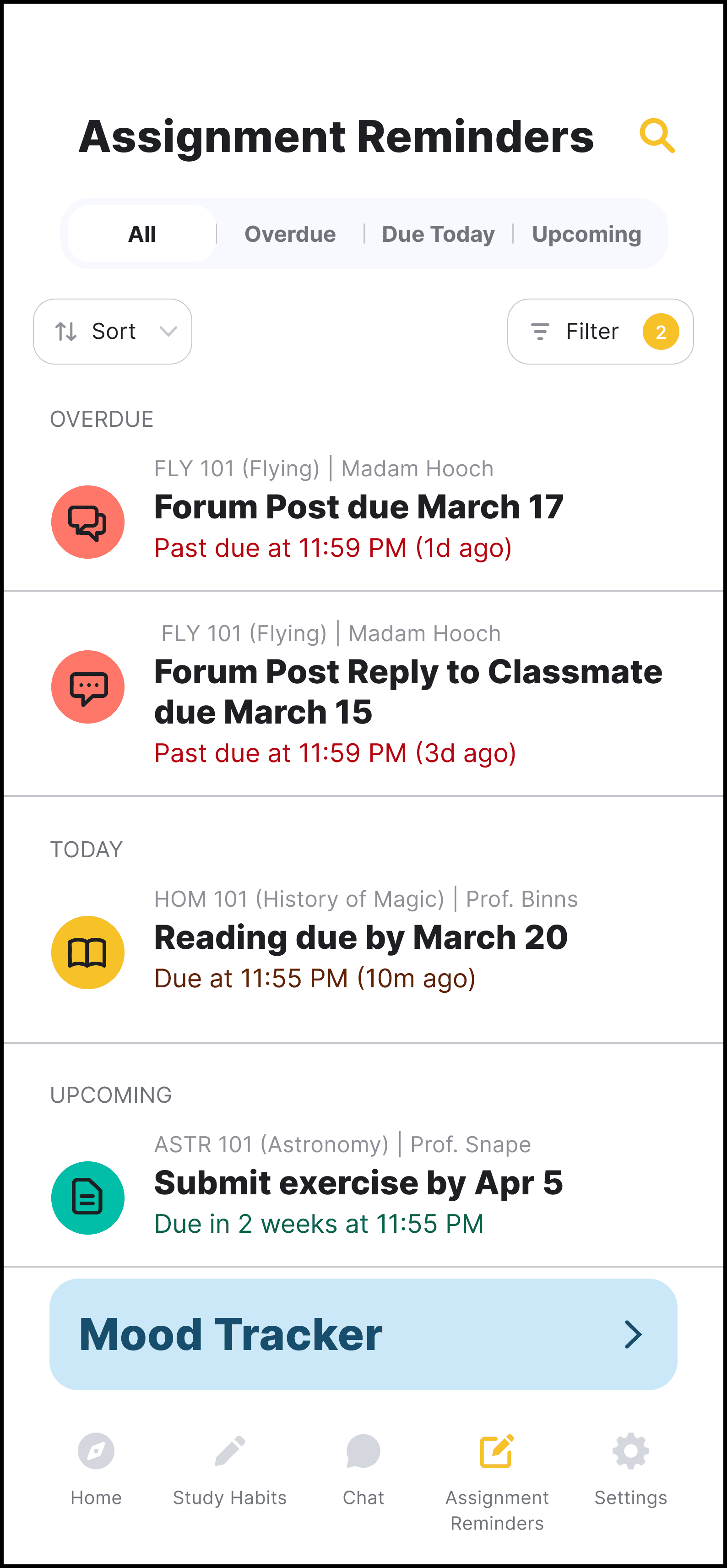
KappaKnow makes studying fun and engaging with gamification, a dashboard for tracking assignments and deadlines, proactive alerts for upcoming tasks, and personalized recommendations, plus easy instructor communication tailored to each student’s learning style.
This category details the step-by-step approach taken during the project, including research, planning, design, testing, and optimization phases.
Research & Planning
Conducted market research to identify existing scheduling challenges and user preferences. Defined target audience segments and outlined key features based on user needs and market trends.
Design & Prototyping
Collaborated with designers to create intuitive user interfaces and interactive prototypes. Iteratively refined designs based on user feedback to enhance usability and visual appeal.
Testing & Optimization
Conducted rigorous testing across various devices and platforms to ensure compatibility and performance. Gathered user feedback through Google Forms surveys and iteratively optimized the app based on usability metrics and user satisfaction.
The resulting study assistant mobile app prototype offers a seamless user experience, enabling individuals and organizations to effortlessly track their assignments and communicate with teachers. Key features include:
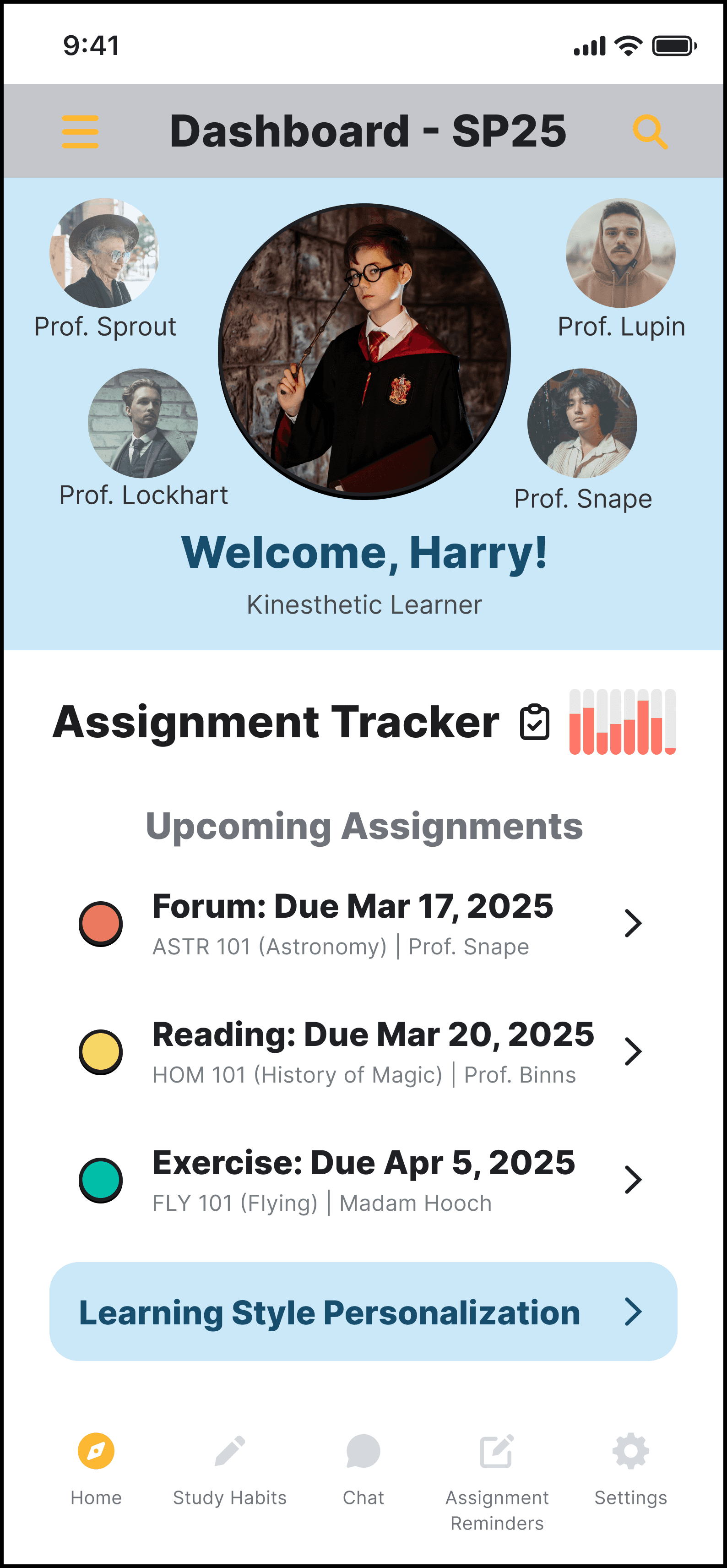
Centralized Dashboard
A central dashboard provides a unified view of upcoming assignments in one convenient location.
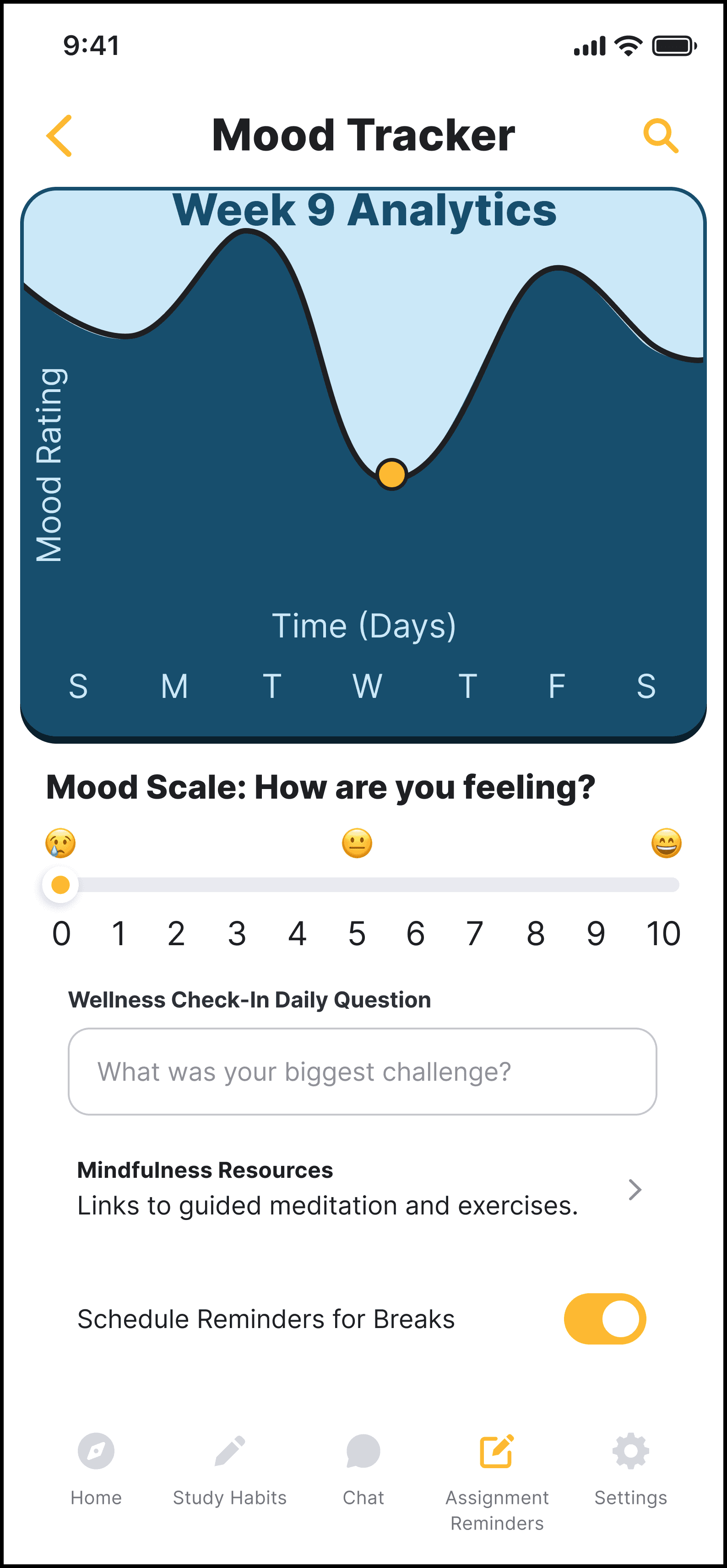
Mood & Study Tracker
The mood scale slider simply tracks how the user feels on a scale of 0 to 10, from worst to best, with accompanying emoji icons. Study sessions can log the method, duration, and effectiveness.
Interactive Communication
Interactive communication allows users to instant message, video call, and send push notifications.
Here, the outcomes and achievements of the project are highlighted, including user feedback, adoption rates, and industry recognition.
Increased Efficiency
Users report significant time savings and improved productivity through optimized study habit recommendations.
Positive User Feedback
High user satisfaction ratings and positive reviews highlight the app's intuitive interface and effective user experience.
Growing Interest
The app quickly gained traction among my classmates, who were highly interested in the app and wished it were implemented in the real world.